SSH Terminal Settings
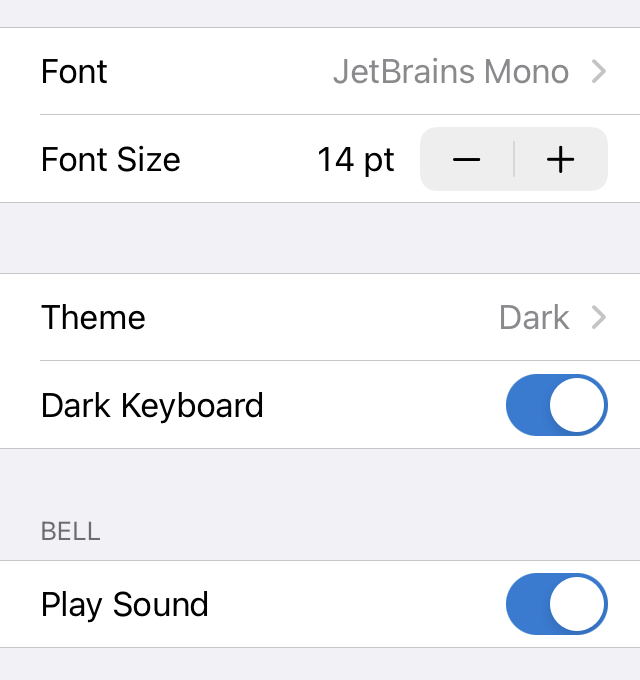
Use these settings to customize the appearance and behavior of the SSH terminal, including the font, theme, and keyboard options.
See also
See SSH Terminal Connections for information on how to connect to SSH servers.
Font and Font Size
- Font
Choose from a selection of built-in monospaced fonts. You can also install custom fonts.
- Font Size
Increase or decrease the SSH terminal font size using the stepper.
Terminal Theme and Keyboard Appearance
- Theme
Select the theme you want to use in the SSH terminal.
- Dark Keyboard
Enable this setting if you want to use a dark keyboard instead of the light keyboard.
Bell
- Play Sound
Enable if you want to play a sound in addition to a visual indicator when the terminal receives a bell code.