Managing Multiple Open Files Using the Tab Bar
You can open multiple files at the same time and switch between them using the tab bar.
Keeping Tabs Open
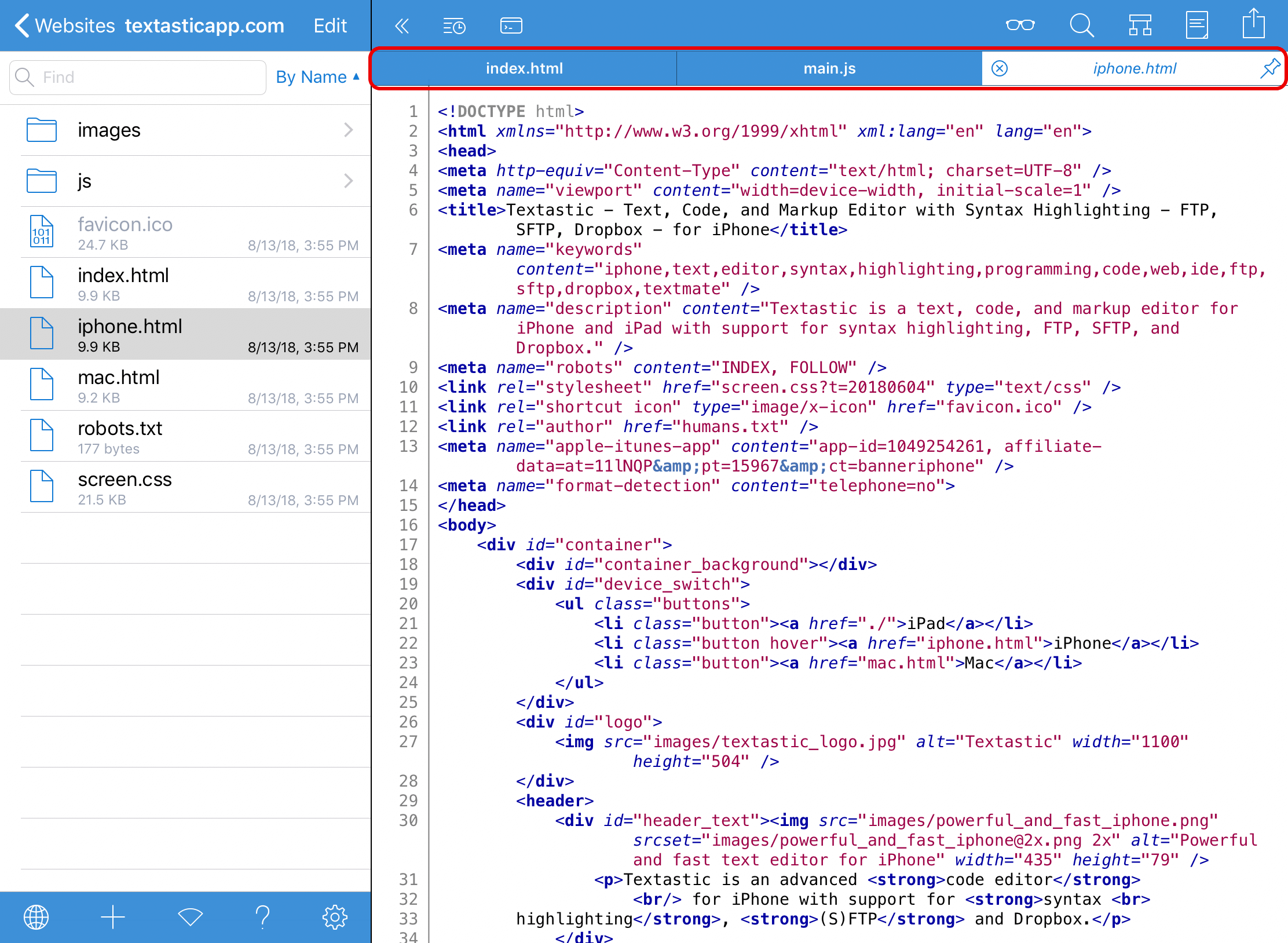
When you open a file, it is opened in a transient (or temporary) tab, indicated by the italic title and the Pin button on the right side of the tab.

To keep the tab open when you open another file, tap the file title or the pin button on the right side of the tab. The file also stays open if you tap in the editor or open the same file by tapping on it a second time.
Note
External files opened using the document picker and files opened from the list of recent files are not opened in transient tabs but always stay open when you open another file.
This is very similar to what desktop code editors like Sublime Text, Visual Studio Code, Atom, and TextMate do: in those apps, files are only kept open if you double-click them.
This helps prevent having too many tabs open when you are just browsing a project.
Reordering Tabs
Use Drag and Drop to reorder tabs.
If there are more tabs than fit on the screen, you can scroll the tab bar horizontally to access hidden tabs. This is especially useful on iPhone in portrait orientation.
Context Menu
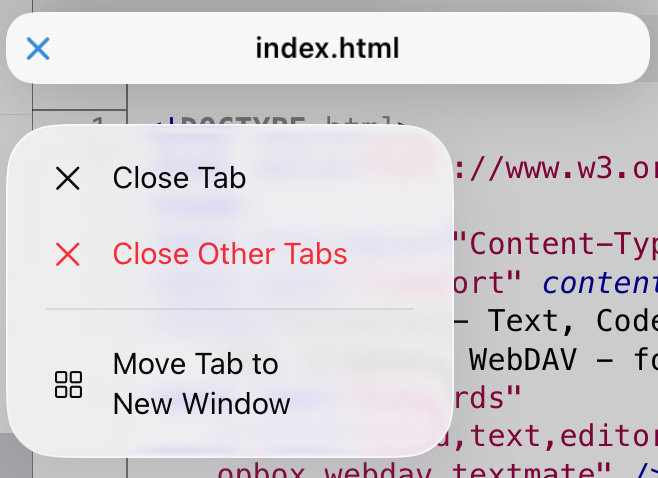
Tap and hold or right-click a tab to open a context menu with commands such as Close Tab, Close Other Tabs, and Move Tab to New Window (iPad only).